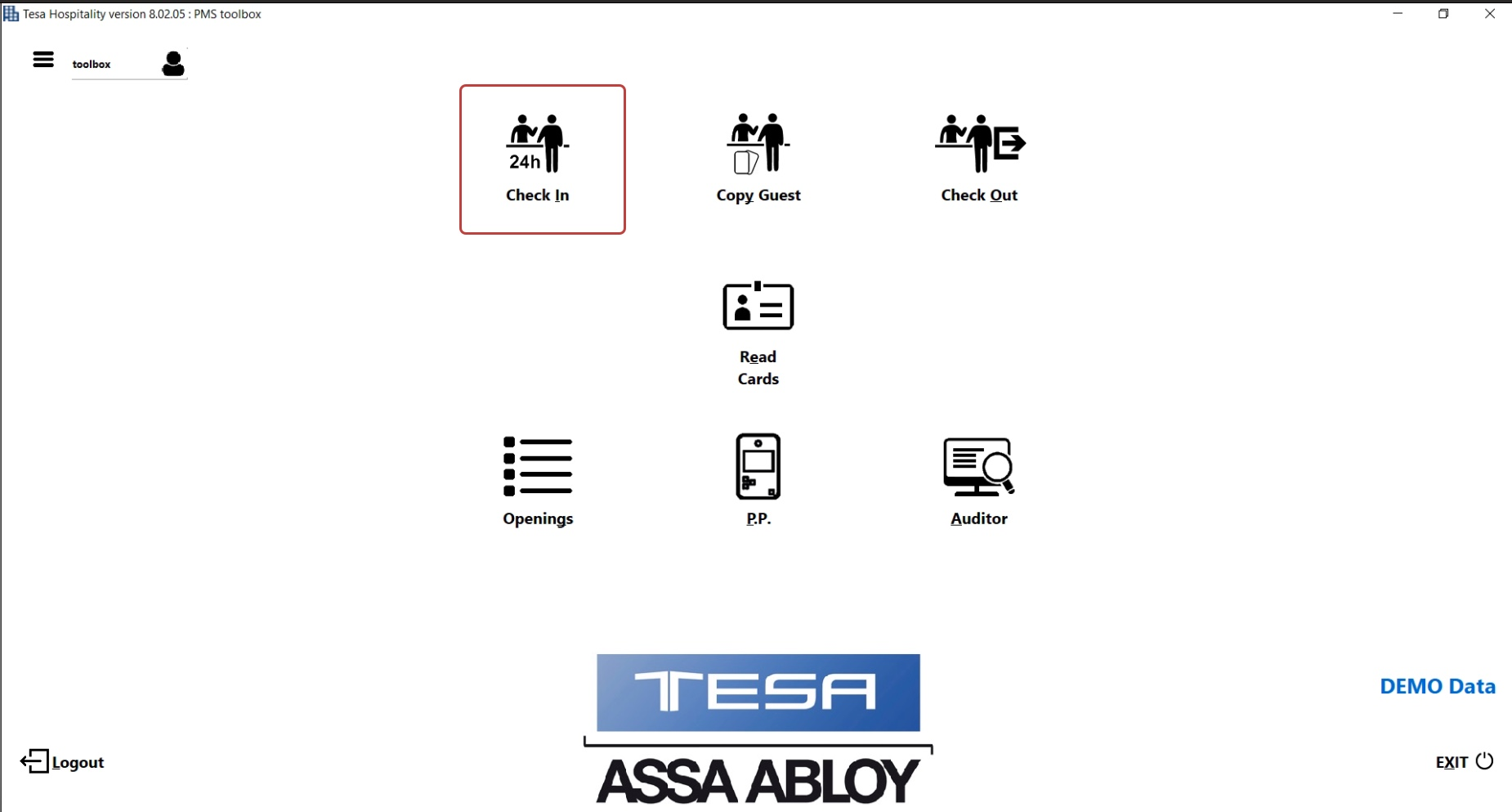
Choose Check In on TESA Hotel Application
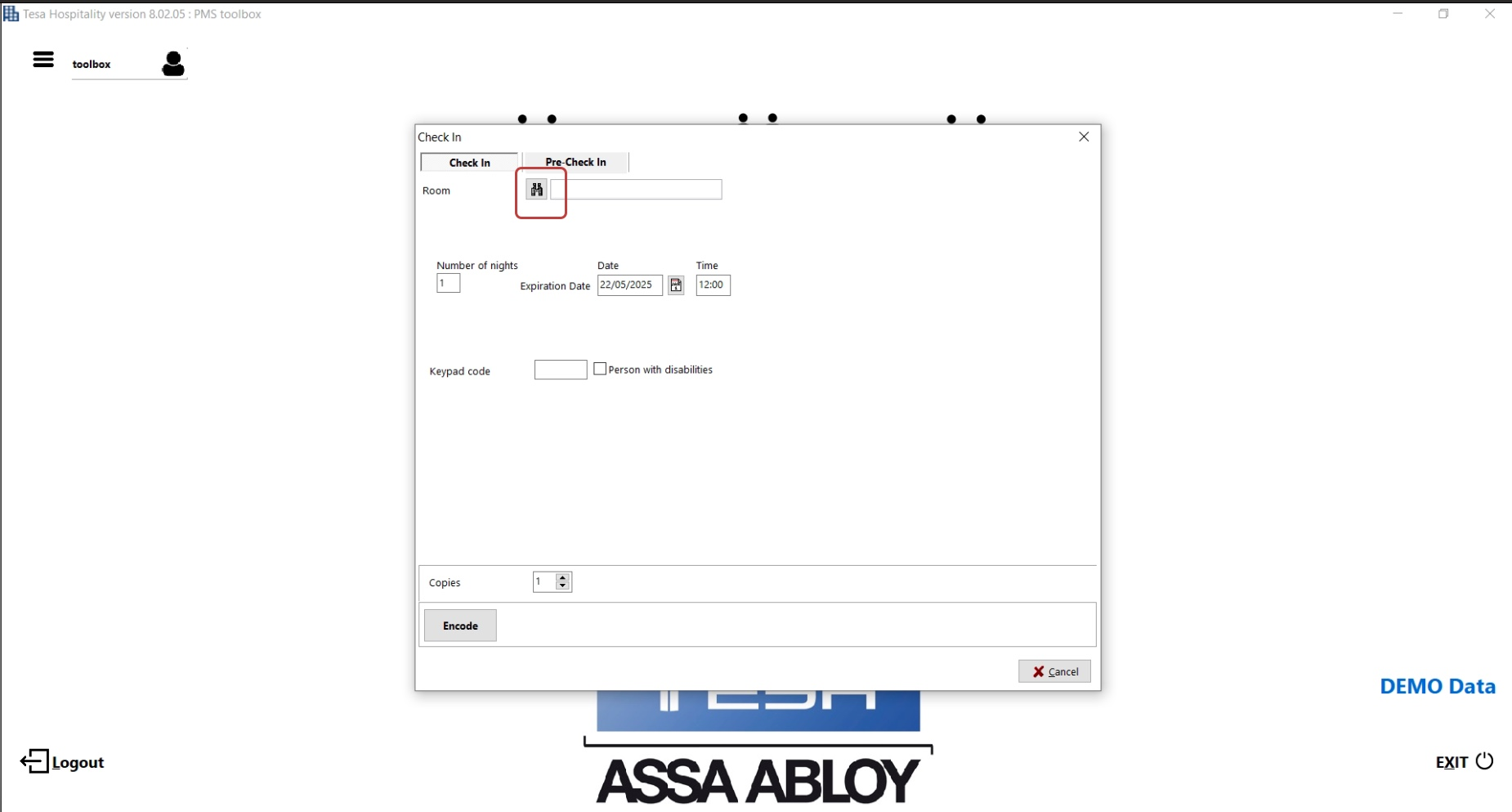
Choose Room and checkout date and time (as you do when assigning a key card)
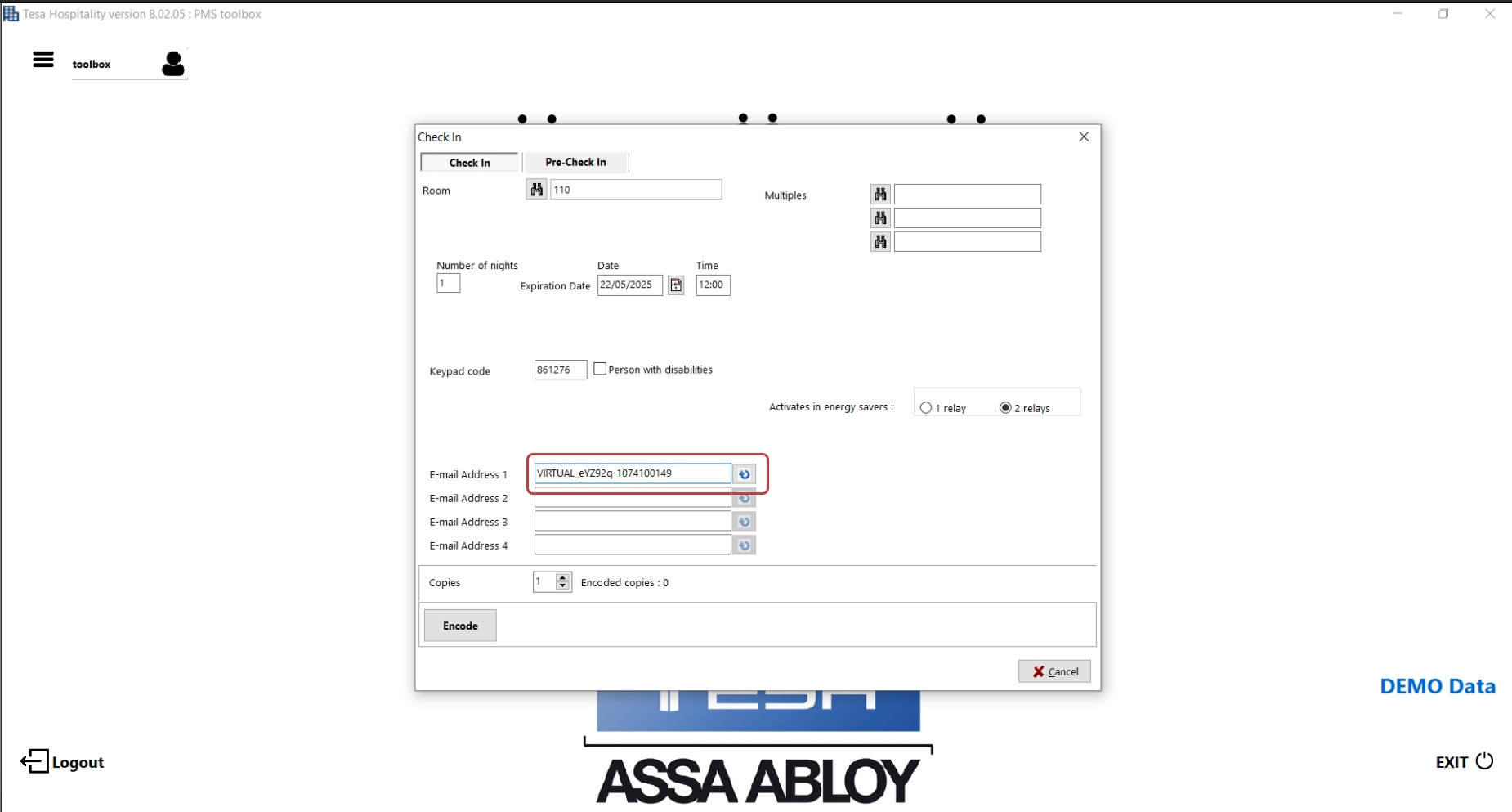
On the field E-mail Address 1 paste the unique smart lock id that we just copied from Hotel Toolbox
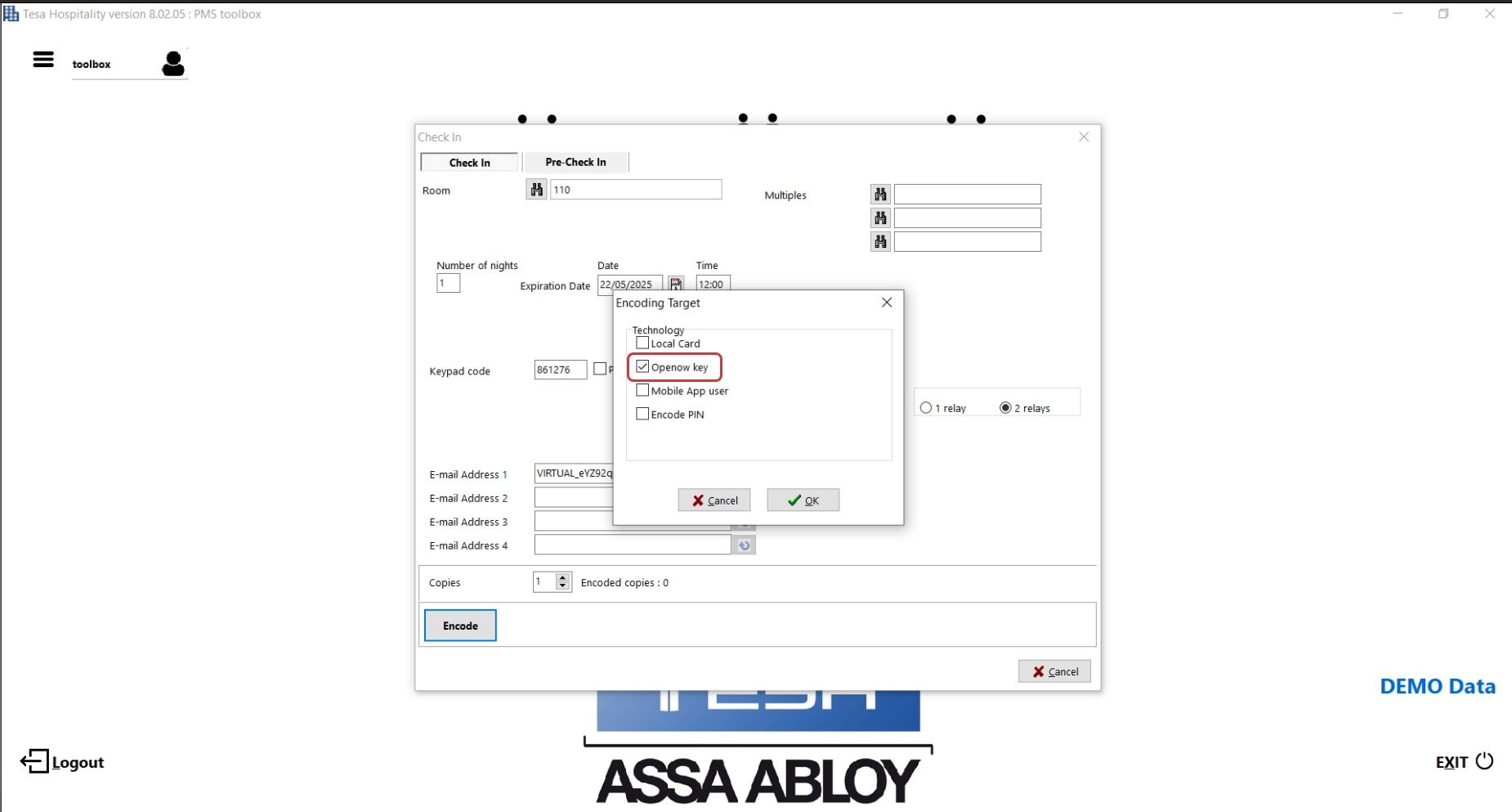
- Click Encode
- On the popup, uncheck the Local Card (if you do not want a keycard) and check Opennow key.
- Press OK and if the user is already logged in into the application the key will be sent.
Was this article helpful?
That’s Great!
Thank you for your feedback
Sorry! We couldn't be helpful
Thank you for your feedback
Feedback sent
We appreciate your effort and will try to fix the article