Enable Smart Lock ID Column
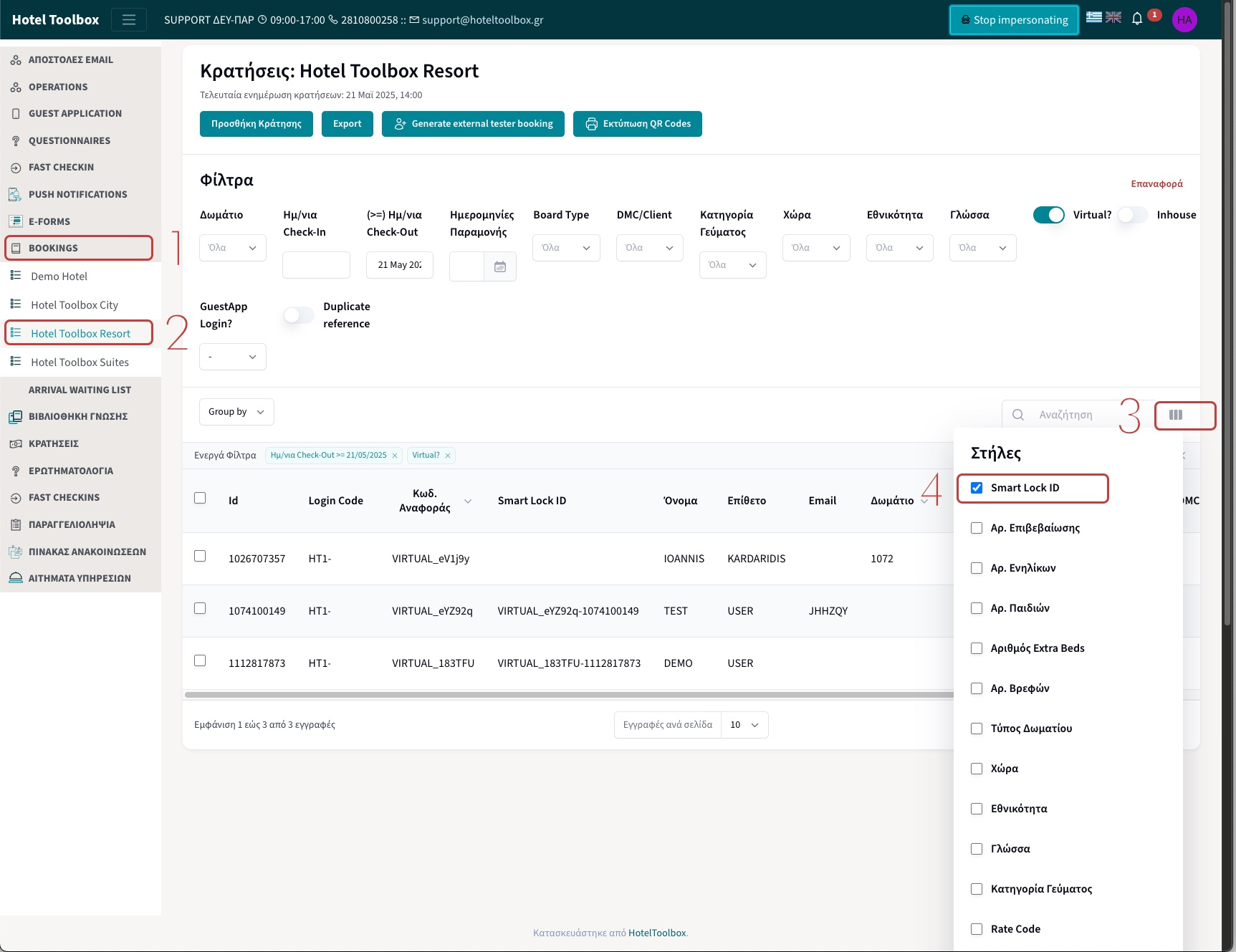
- Navigate to BOOKINGS from the sidebar
- Choose your hotel (if multiproperty)
- Click on the icon on the top right of the list to add the Smart Lock ID column
- Check the Smart Lock ID Column
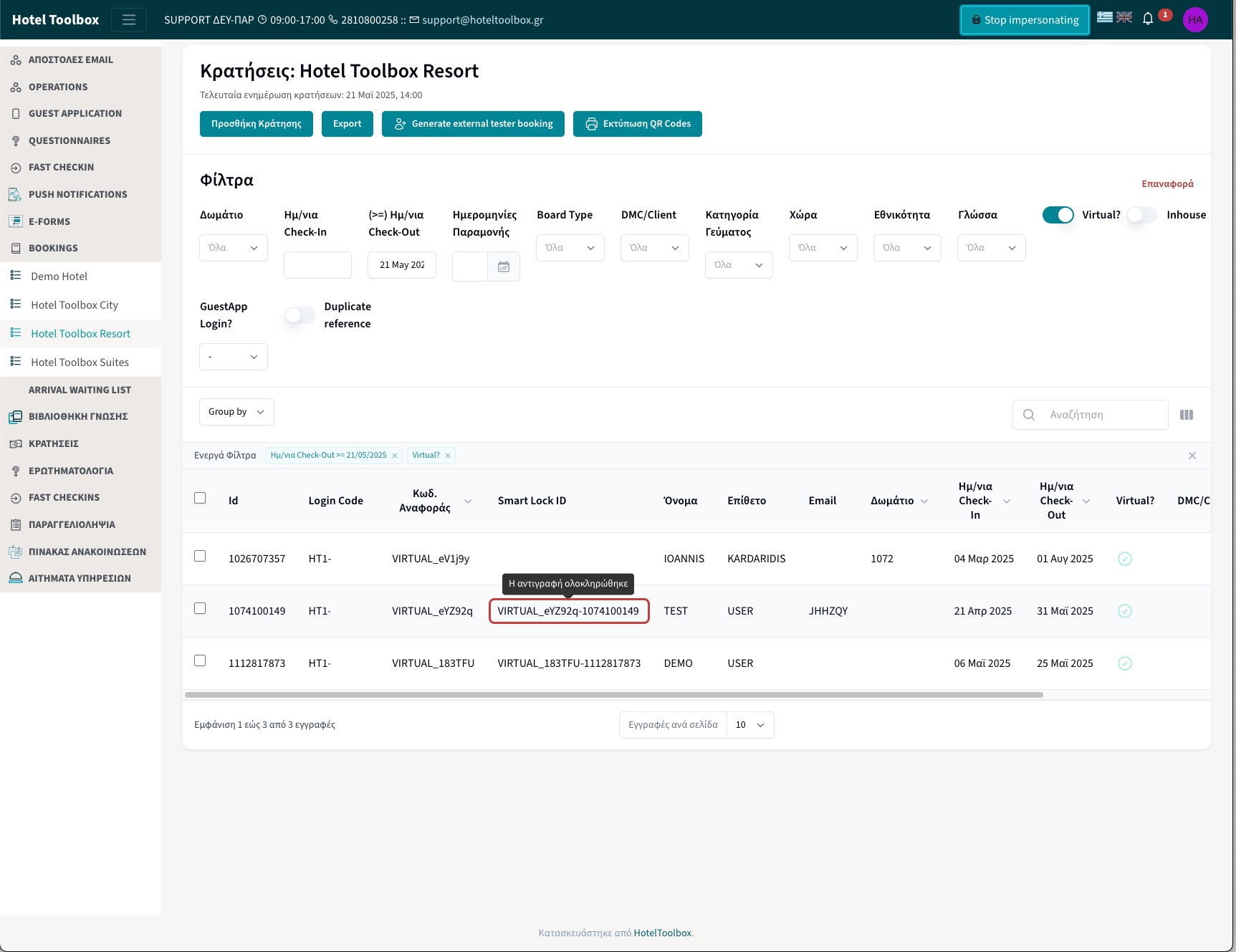
Get the Smart Lock ID of the customer
- Simply click on the desired customer’s Smart Lock ID and it will be copied in your clipboard
Was this article helpful?
That’s Great!
Thank you for your feedback
Sorry! We couldn't be helpful
Thank you for your feedback
Feedback sent
We appreciate your effort and will try to fix the article